
Fortress ClickHouse®: Secure Your Database and Foil Evildoers in 15 Minutes or Less
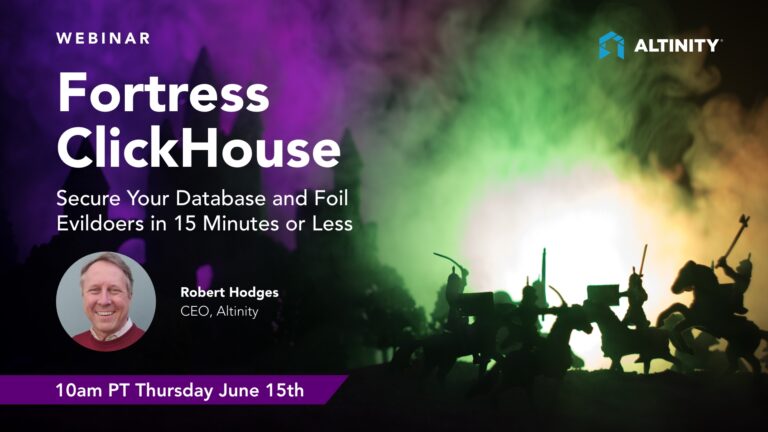
Recorded: June 15 @ 10:00 am PT
Presenter: Robert Hodges (CEO @Altinity).
In this fast-paced security webinar, Altinity CEO Robert Hodges and Altinity QA head Vitali Aksionov walk through the principal attack surfaces on a single ClickHouse® server and demonstrate how to close each one with configuration files and simple scripts. The session is deliberately scoped to a single server to make the techniques accessible and repeatable, with all sample code available on the Altinity GitHub.
Robert opens by surveying the threat landscape: unencrypted connections, unsecured default users, plain-text passwords in configuration files, unencrypted data at rest, overly permissive file permissions, and sensitive data exposed in server logs. He then works through each area systematically.
The first step is detecting and removing plain-text passwords. A single egrep command against /etc/clickhouse-server surfaces any blank or plain-text password tags in users.xml and config.xml. Robert demonstrates a small script that replaces the default user’s blank password with a SHA-256 hex hash, adds network masks restricting login to localhost, and enables SQL-based role-based access control, all by dropping a single XML file into the users.d directory. The live demo shows the server rejecting an unauthenticated login in seconds.
The second step is locking down unused network ports. ClickHouse exposes ports for multiple protocols including MySQL and PostgreSQL compatibility. Removing these via a configuration file in conf.d and restarting the server closes unnecessary entry points. Robert also introduces the pre-processed config file trick: ClickHouse merges all XML files into a single preprocessed file, which can be grepped to confirm that tags have actually been removed.
The third area is in-flight encryption. Robert walks through creating a private certificate authority using three OpenSSL commands, signing a server certificate, generating Diffie-Hellman parameters, and setting correct file permissions. He then shows the OpenSSL section of a ClickHouse configuration file in full detail, covering the verificationMode settings (relaxed versus strict, with strict requiring client certificates), how to disable old SSL/TLS protocol versions, and how the same configuration applies to outbound connections for inter-server and ZooKeeper communications. After the configuration is applied, the ClickHouse client connects securely and rejects unencrypted connections.
The fourth area is at-rest encryption, presented as two options: filesystem-level encryption using LUKS, cloud block storage encryption such as Amazon EBS with encrypted: true, or Kubernetes StorageClass encryption; and ClickHouse-native storage policy encryption, which defines an encrypted disk backed by a physical location and assigns it to tables via a named storage policy. Both approaches add roughly 20 percent overhead to performance.
The fifth area is protecting server logs, particularly the query log, from exposing sensitive data such as encryption keys or personally identifiable information that appears inside SQL statements. Robert demonstrates query masking rules: regular-expression-based rules in the server configuration that replace matched content with placeholder question marks before anything is written to logs.
The session closes with a look at upcoming security topics including cluster security, ClickHouse hardening in Kubernetes environments, FIPS-compatible builds for FedRAMP, and backup protection. An extended Q&A covers two-factor authentication options including mutual TLS, LDAP integration, and Kerberos, as well as the importance of automated testing for security procedures.
Here are the slides:
Key Moments (Timestamps)
Key moments generated with AI assistance.
- 0:09 – Introduction and housekeeping
- 1:43 – Speaker introductions: Robert Hodges and Vitali Aksionov
- 3:58 – ClickHouse overview: open source, columnar, shared-nothing architecture
- 6:19 – ClickHouse attack surfaces and threat vectors
- 7:37 – Initial security checks: configuration file locations
- 10:05 – Detecting plain-text passwords with egrep
- 12:27 – Tips for defining secure users: SHA-256 hashing and network masks
- 13:14 – Demo: securing the default ClickHouse user with a script
- 17:10 – Confirming the default user is now password-protected
- 19:08 – Locking down unused network ports: MySQL and PostgreSQL protocols
- 22:36 – Q&A: two-factor authentication options for ClickHouse
- 24:14 – Checking that ports are gone with netstat and the pre-processed config
- 24:38 – Introduction to the conf.d directory trick for Docker environments
- 26:22 – Creating a private certificate authority with OpenSSL
- 30:09 – Generating and signing the ClickHouse server certificate
- 31:14 – Handling Docker-specific hostname and permission requirements
- 35:05 – Encrypting connections: the OpenSSL configuration section in full
- 38:56 – At-rest encryption: filesystem vs. ClickHouse storage policy approaches
- 41:06 – Defining an encrypted storage policy and applying it to a table
- 41:47 – Q&A: performance impact of at-rest encryption (~20%)
- 43:20 – Protecting logs with query masking rules
- 44:52 – How Altinity developed query masking rules in 2019
- 46:43 – Parting tips: host-level security and network protection
- 48:42 – Future topics: cluster security, Kubernetes hardening, FIPS, backups
- 51:13 – Q&A: two-factor authentication in depth (LDAP, mutual TLS, Kerberos)
Webinar Transcript
[0:09] — Introduction and Housekeeping
Robert: Okay, let’s get going. Hello, everybody. My name is Robert Hodges and I’ll be the presenter today at our talk on Fortress ClickHouse®. We’re going to be telling you how to secure your database and foil evildoers in 15 minutes or less.
Before I get started, I’d like to give you a little bit of housekeeping. If somebody can confirm the audio is okay, just type it into the chat. While you’re confirming that, let me share a few details about this talk.
First, it is being recorded. We will send you a mail message within about 24 hours that contains a link to the video of the talk as well as the slides, so you’ll have those for your records. You don’t have to frantically take notes. We do have time for questions. If you’d like to, you can put them into the webinar chat or into the question-and-answer box. If it’s a question that’s relevant to what I’m talking about, I’ll go ahead and cover it right there; otherwise we’ll take it at the end.
Great, thank you, Kiara. Off we go.
[1:43] — Speaker Introductions
Robert: Just a little bit of marketing, and of course we’re here to promote ourselves and Altinity. So here are some introductions.
Once again my name is Robert Hodges. I’ve been working on databases for 40 years. Kind of unbelievable now. I started with pre-relational databases, coming all the way up to modern analytic databases and distributed data. ClickHouse is the most recent one I’ve been deeply involved in. I’ve been in Cloud native for the last five years or so, and my day job is CEO of Altinity.
I want to highlight Vitali Aksionov, who supplied a lot of the material for this talk. He’s doing a blog article that will cover some of the issues discussed here and will appear shortly on the Altinity blog. Vitali has 15 or more years of experience with software and hardware testing. He is the head of our QA department and is really good on security, not least because one of the things we do in QA is automate the types of procedures we’ll be talking about in this talk and test them to make sure they really work.
As for Altinity, we are an enterprise provider for ClickHouse, which is a very popular data warehouse. Among other things, we run Altinity.Cloud, which was the first managed ClickHouse to appear in both Amazon and GCP. We run hundreds of ClickHouse clusters for our users. We’re also the authors of the Altinity Kubernetes Operator for ClickHouse®, which is one of the most popular Kubernetes operators for databases on GitHub. We have a lot of involvement with other open-source projects, including ClickHouse itself, where we’ve contributed many security features as well as tested them.
[3:58] — ClickHouse Overview
Robert: Let’s introduce our other star today: ClickHouse. It’s a real-time analytic database. It has the properties of a relational database like MySQL or PostgreSQL. It understands SQL. It runs pretty much anywhere, from literally an Android phone all the way to clusters on racked equipment with hundreds of nodes. It runs great on everything in between, including cloud and Kubernetes. It’s open source, released under an Apache 2.0 license, and can be used anywhere for any business purpose.
On the analytics side, it is a column store. It uses a shared-nothing architecture. It is evolving toward a separated storage-compute model. It’s very good at parallel and vectorized execution. Vectorized means we treat the data as vectors, which get loaded onto the processor and let us take advantage of SIMD capabilities like those present on Intel architectures. It scales to many petabytes. There are clusters out there with over a thousand nodes.
We won’t talk much more about ClickHouse capabilities, because the rest of this talk is about how to protect your data when it lives on ClickHouse.
[6:19] — ClickHouse Attack Surfaces
Robert: To do that, we need to discuss what the attack surfaces are. In other words, how can somebody come in and steal your data or otherwise compromise the information you’re storing?
Let’s look at the model for a single ClickHouse server. Our scope today is just how to secure a single server, and we’ll do that fairly quickly. The types of threats we see range from unencrypted connections, unsecured default users, plain-text passwords lying around, unencrypted data files, open file permissions, and sensitive data exposed in logs. Those are just a few of the ways ClickHouse servers can be attacked. As we think about hardening a ClickHouse server, we need a way of detecting whether any of these conditions exist and then taking appropriate action to plug the holes.
[7:37] — Initial Security Checks: Configuration File Locations
Robert: The first thing to do when a ClickHouse server comes up is run some basic security checks to make sure the server is sound and we’re not going to immediately lose data.
For the purposes of this talk I’m using Docker, because anybody can do it on a laptop. If you can run Docker on a laptop, you can repeat everything I’m showing you here. These commands show you how to pull a ClickHouse server image. I’m picking the 23.3 LTS release, which was released at the beginning of April. It will actually be the basis for the upcoming Altinity Stable® Builds for ClickHouse® 23.3 release. It’s a good server to pick: focused on stability with a lot of good bug fixes.
We pull the container using Docker, then tag it. This is a trick we use: regardless of the ClickHouse version or where we got it, we give it a name called my-fortress. That allows us to use a consistent approach no matter which server version we’re running. The final part is a Docker run command giving it the standard name. The -v options mount files into specific locations so we can change the configuration of ClickHouse without having to go into the container.
There are samples for this talk available on GitHub. I’ll post the link in the chat.
The first thing you do when you have a ClickHouse server is it’s very helpful to just know where the server configuration files are located. By convention ClickHouse stores all of its configuration files in /etc/clickhouse-server. Under it, a fresh server will show a standard set of XML files containing basic server configuration as well as your default user. There are also two directories, config.d and users.d, which are very important. You can use these to put extensions that change values, and because they live in these directories they are safe from upgrades. When we’re securing a server, we don’t want to make changes in config.xml or users.xml because upgrades can rewrite those files, losing all our configuration and leaving the server insecure.
[10:05] — Detecting Plain-Text Passwords
Robert: Once you know these configuration file locations, it’s easy to do some basic checks. The first one is to look for plain text passwords.
This is something of a heritage from the early development of ClickHouse. If you go into /etc/clickhouse-server and run egrep looking for password tags, this will show any unencrypted or empty password tags. In users.xml you’ll see a blank password for the default user. There’s also a password in config.xml for inter-server queries. We won’t go into protecting inter-server communications today, but there’s a talk coming up next week that goes deep on that topic.
[12:27] — Tips for Defining Secure Users
Robert: Now let’s consider how to fix this. There are a couple of useful features you should be aware of.
First, how to generate a password. If you want to use the word “secret” as your password, you just pass it through sha256sum and that will generate a hashed version you can now use safely. Remember the -n flag when using echo, otherwise you include a newline in the hash.
Another cool feature ClickHouse has is network masks. Similar to the way PostgreSQL works, you can restrict connections based on where they originate. If we combine these two things, we can come up with a simple configuration file that secures the default ClickHouse user. One important thing to realize here: when you bring up a server and expose that port in a way that can be seen outside the container or on another host, you have a hole that people can just log into and attack your server.
[13:14] — Demo: Securing the Default User
Robert: This configuration file uses those tips and does three things. First, it removes the old blank password. This is a critical trick: it removes the blank password tag entirely. It’s not sufficient to comment it out, because the tag already exists. We substitute it with a tag using a SHA-256 hex password. We put network masks in to limit login to localhost. And we set one other flag, access_management: 1, which allows SQL-based role-based access control. From this point forward, further users can be defined using SQL commands rather than file-system-level XML.
Let’s just run it. It was that fast. Here you see the commands. For the demo I have the password shown in the script so I can remember it. Of course you wouldn’t do that in a real case.
Now let’s prove this works by logging into the container and checking whether we can get into the server using the default account without supplying a password. Let me do a docker exec -it with the name my-fortress and go in.
Now I’ll run the ClickHouse client. Normally if the account is unprotected it would just let me in. But see: it’s protected. It’s asking for a password. I’ll give it the password I set, and I’m in. The point is it blocked me. Protecting the default user was as simple as that procedure, and you can do it in seconds.
[19:08] — Locking Down Unused Network Ports
Robert: After securing the default user, we want to lock down the network ports and shut down anything that isn’t necessary.
First, know what ports are available. ClickHouse supports a wealth of protocols, each on a different port. For example, the MySQL client protocol allows you to log into ClickHouse using a MySQL client tool, listening on port 9004. Normally in a ClickHouse server you don’t want that port active. There’s also port 8443 for HTTPS connections, which is what we want to have open. But let’s make sure the other ports just get shut down.
If you’re on the ClickHouse host you can run netstat and look for all the ports that are open. This shows us that we have port 9000 for the native TCP format (unencrypted, but we’ll take care of that in a moment), and ports 9004 and 9005 for MySQL and PostgreSQL. Let’s go ahead and shut those down with a simple XML change, copy it into the conf.d directory, and restart. After a restart, if we run our netstat command again, those ports disappear.
There’s another cool check you can do. ClickHouse takes all the XML files and gloms them together into a pre-processed file, which has no comments and only shows current effective values. It’s stored in preprocessed_configs/config.xml. That’s a great place to grep and confirm that things really disappeared.
One more trick: I mentioned writing to conf.d rather than config.d. That’s an undocumented directory also supported by ClickHouse. We use this when dealing with containers, because Docker actually writes something to config.d when the container is built, so we don’t own that directory. We use conf.d instead to avoid conflicts.
[22:36] — Q&A: Two-Factor Authentication Options
Robert: There’s a question here about whether it’s possible to configure two-factor authentication.
The short answer: ClickHouse doesn’t support it natively, but there are options. One is a standard login and password combination. Another interesting and less well-known option is mutual TLS. When you use strict verification mode, not only must the server present a valid certificate, but the client must also present a certificate signed by a CA the server recognizes. You can construct accounts that require a specific certificate to log in. For full 2FA with an authenticator app, you would need to integrate with an LDAP server that itself has 2FA configured. ClickHouse can call out to LDAP for authentication, but you’d need to configure the 2FA layer on top. Kerberos is also supported. I’ll leave this question open for a fuller answer at the end of the talk.
[26:22] — Creating Your Own Certificate Authority
Robert: Now let’s take care of networking. Application networking is obviously one of the major issues when protecting a ClickHouse server. Before we configure the network ports, we need to take care of certificates. In this section we’ll walk through how to create a private certificate authority.
There are three general ways to manage certificates. One is to use a public CA like Let’s Encrypt to generate your certificate. Another is to have your own internal certificate authority, which I’m going to show you how to do with the exact commands. You can also use tools like Vault or various commercial products that generate and track certificates for you. The third approach is a self-signed certificate, and I want to be clear: that’s a terrible idea for two reasons. Self-signed certificates are insecure, and setting up a proper internal CA is so easy there is absolutely no reason not to do your own internal CA, even for testing.
Here’s how it works. You’ll need OpenSSL, which is present on virtually every Linux machine and macOS. Run two OpenSSL commands: the first generates a private key and the second generates a certificate and self-signs it as your root CA certificate. These commands run almost instantly.
Next, generate the certificate for the ClickHouse server. We don’t use the root certificate directly on the server because that’s the one we share with clients to establish authority. Instead, we create a key for the server, generate a certificate signing request (CSR), and feed that into the next command, which signs it with our root certificate.
Finally, there’s a step where ClickHouse can use Diffie-Hellman parameters for helping to pick and manage ciphers. You generate these with openssl dhparam. Fair warning: this takes a very long time. On my test machine it took literally 15 minutes. You can actually leave out the Diffie-Hellman parameters file if you want, but it’s recommended.
[31:14] — Docker-Specific Steps
Robert: If you’re doing this in a Docker container as I am for this test, there are a couple of extra steps. First, I’m sharing files from my underlying host machine, so I need to make sure the permissions are set correctly. ClickHouse running inside Docker needs to be able to read these files, so I run a chown command to set the user and group permissions. Second, because I generated a certificate with the common name “fortress,” it has to match the hostname, so I give Docker a little help by adding that name to /etc/hosts.
Once you’ve done this, you also need to install the internal CA certificate in what’s called the ca-certificates directory. This makes it available to any application that uses the built-in SSL libraries on Linux, and that includes the ClickHouse client.
[35:05] — Encrypting Connections: The Full OpenSSL Configuration
Robert: Now let’s actually supply the configuration so ClickHouse will encrypt connections correctly.
It’s a long XML file but really pretty simple. The first thing we do is disable the unencrypted ports and enable the encrypted ones. The remove="true" trick is important here: it removes the existing port tags and replaces them with the encrypted port values.
The more interesting part is the openssl section in the configuration. This allows us to define the encryption used on server connections. Some key highlights:
First, loadDefaultCAFile is set to false. If it were true, ClickHouse would read certificates from the host’s default certificate store. We don’t want that; we want it to use only the certificate we gave it.
Second, verificationMode is set to relaxed. This sounds like a bad thing but it isn’t. It means we allow the client to connect and form a proper TLS-encrypted connection without requiring the client to present a certificate. If you say strict, the client must also supply a signed certificate. Strict is very secure but means you have to distribute client certificates to every application that connects, which can be operationally complex.
Third, we’re disabling old protocols: SSLv2 and SSLv3 are ancient and not supported by virtually anything in production. We can optionally disable TLS 1.0 and TLS 1.1 to force clients to use only TLS 1.2 or higher.
Fourth, the rejectCertificateHandler is the default behavior: if there’s a problem with a certificate, drop the connection.
On the client side, there are similar settings that tell ClickHouse where to find the root certificate it uses for outbound connections. These client settings are critical if you’re doing inter-server communication or if you’re using ZooKeeper or ClickHouse Keeper with encrypted connections.
Once you supply this configuration and restart your server, the ClickHouse client will connect using a secure connection, and if you try to connect without encryption it will bounce you back. Setting up TLS is pretty simple. There is absolutely no reason not to do your own internal CA even for testing.
[38:56] — At-Rest Encryption: Two Options
Robert: In-flight encryption protects data moving across the network. At-rest encryption means protecting data in storage. For this there are two main approaches.
Option one is to encrypt the file system using LUKS, the Linux Unified Key Setup. That’s a standard approach particularly for bare-metal systems. If you’re running a VM inside Amazon, Google, or another cloud, cloud block storage almost always has out-of-the-box storage encryption. EBS does this by default. And if you’re running in Kubernetes, the block storage provider typically supports encryption at the StorageClass level. There’s an example of the encrypted: "true" option on the AWS EBS StorageClass definition. With that, your volumes are encrypted wherever they live.
Option two is to use ClickHouse-native encryption via a storage policy. A storage policy allows us to define a hierarchy: a policy called encrypted defines an encrypted_volume, which defines an encrypted_disk, which points to an actual location on the file system. You then assign that policy when you create a table with SETTINGS storage_policy = 'encrypted'. The data written to that table will be encrypted by ClickHouse itself.
As for performance: at-rest encryption is not terribly expensive. From the tests I’ve seen, roughly a 20 percent performance hit. If data security is important to you, that’s not a big deal, and it works anywhere.
[43:20] — Protecting Logs with Query Masking Rules
Robert: Moving off data storage, another interesting question is how to protect logs. ClickHouse maintains a query log and server logs which contain the text of queries. Let’s look at how we might protect that.
Here’s a log entry for a query that uses the decrypt function. We might not want the keys we’re using to appear in the log. Or we might have information inside the SELECT that would reveal credit card numbers, usernames, or other data we want to keep private. If that log gets exported to something like Datadog or Logz.io, that data will be there and could be exposed.
How do we fix that? Using query masking rules. This is a feature that Altinity contributed back in 2019 that allows you to write regular-expression-based rules in the server configuration. Each rule has a match pattern and a replacement. When ClickHouse matches a pattern in a query, it replaces the matched content with whatever you specify, in this case three question marks, before the query text is written to any log. You can write as many of these rules as you need, and you can pretty much hide anything you want.
[46:43] — Parting Tips on Host-Level Security and Network Exposure
Robert: Let me cover some final notes on protecting the host and single server. ClickHouse actually does a pretty good job of security out of the box other than the unprotected default user. File permissions are good. ClickHouse runs as the clickhouse user, not as root, which is great. It’s also very good about directory protections.
Three main directories to think about: /etc/clickhouse-server, where credentials and configuration live; /var/lib/clickhouse, where your data and RBAC user definitions live; and /var/log/clickhouse-server, where your logs are. Logs can expose queries. In general the protections on all three are good, and you don’t have to worry about people just waltzing in and seeing the data.
One final thing for the host: think carefully about how people can even reach this host. If you’re running in Amazon inside a VPC, you may have load balancers giving public access either to other VPCs in your account or even to the public internet. It’s really important to think about what those load balancers are doing and whether they’re giving access to your server from a place you don’t control. In general, you want to make the server networks non-routable to outsiders wherever possible. Keep your applications within the VPC and route directly to them, but have the servers not even be reachable from outside. You’ve got to go into that VPC via a jump host to even see it.
[48:42] — Future Security Topics
Robert: Here are further areas we’ll cover in later talks.
First, cluster security. It’s such a big topic that I didn’t include it here. There are issues ranging from making sure a ClickHouse server’s distributed query user has the right account and encrypted connections, all the way to more sophisticated concerns. Second, hardening ClickHouse in cloud-native environments. When you move to Kubernetes you get the same database threat surface plus new Kubernetes-specific concerns. We have a hardening guide that covers this for our Kubernetes operator and we will be extending it. Third, FIPS-compatible ClickHouse builds, which is a common requirement for FedRAMP and other high-security environments. Fourth, protecting backups. Backups are one of the great ways to steal data, and we’ll have additional presentations and blog articles on each of these.
One thing I should point out: if you’re interested in FIPS-compatible ClickHouse and general cluster security, including how to make ZooKeeper work in high-security environments, join us on Tuesday the 20th at 10 A.M. Pacific where we’ll be talking with folks working at Cisco about the process of bringing up ClickHouse on FedRAMP. You’re very welcome to attend.
More background information is available at the ClickHouse documentation site, the Altinity hardening guide, the Altinity blog, the Altinity Kubernetes Operator hardening guide, and the sample code at the clickhouse-sql-examples repository on the Altinity GitHub under fortress-clickhouse.
[51:13] — Q&A: Two-Factor Authentication in Depth
Robert: Let me come back to the two-factor authentication question. Out of the box, ClickHouse doesn’t support 2FA, but you have a few options.
One is a plain login and password. Another interesting and less well-known option is mutual TLS, which we touched on earlier. For service accounts, you can configure strict verification mode, which requires both sides to present valid signed certificates. You can also construct accounts that will only accept login with a specific client certificate. That’s a form of certificate-based authentication, which is quite strong.
For true 2FA with a one-time code or authenticator app, I think the way to get there is to integrate with an LDAP server that itself has 2FA authentication configured. ClickHouse can call out to LDAP to do the authentication, but you’d have to configure something on top of LDAP to make the second factor work. Kerberos is also supported by ClickHouse, and that’s something we contributed some of the implementation on some time back.
To my knowledge, ClickHouse does not currently have OAuth support, which is something that commonly comes up. I have no doubt that will be added at some point if it hasn’t been already.
Robert: Vitali, thank you so much for the great information and for all the specific procedures and details, particularly around network configuration.
Vitali: Thanks, Robert. It was a pleasure to work on it.
Robert: Much of the specific procedures in this talk, I’ll just share one final piece of information: it is really important to find documented procedures and develop automated tests for them when you’re checking security configuration. We do this ourselves, because the thing about security procedures, and network configuration is a great example, is that if you set it up perfectly it works. If you don’t set it up perfectly or you violate some assumption, it does not work. Not only that, it won’t tell you why. Your application will just say “this account didn’t work” or “I can’t connect.” There’s very little information in that error. You won’t be able to see the real cause.
So: find the procedures, set them up carefully, test them, and use automated tests so you can confirm the procedure is working exactly as expected. Then use that as your procedure to configure from then on out. That’s how we approach this at Altinity.
Okay, I don’t see further questions, so with that I’d like to thank everyone who attended. Vitali, once again, thank you for the great information. We hope to see you at a future talk. If you have further questions about security or any aspect of operating ClickHouse or analytics stacks, please feel free to contact us at altinity.com.
FAQ
What is the most important first security check to run on a new ClickHouse server?
Run a recursive grep against /etc/clickhouse-server looking for plain-text or blank password tags. A fresh ClickHouse installation ships with a default user that has an empty password, which means anyone who can reach the port can log in without authentication. The fix is to drop a small XML file into the users.d directory that removes the blank password tag, replaces it with a SHA-256 hex hash, and restricts connections to localhost using network masks.
Why should I use conf.d rather than config.d for my custom configuration files?
ClickHouse supports both config.d and the undocumented conf.d directory as extension directories. When running in Docker, the Docker container build process may write files into config.d, which means you do not fully own that directory. Using conf.d avoids conflicts with Docker’s own configuration. In non-container environments either directory works, but the key rule is to never modify config.xml or users.xml directly because upgrades can overwrite those files, silently removing all your security configuration.
How difficult is it to set up TLS encryption for ClickHouse and do I need a commercial certificate?
Setting up TLS with a private certificate authority is straightforward and takes only a few minutes if you skip the optional Diffie-Hellman parameters file. Three OpenSSL commands create the CA root certificate, a fourth generates the server key and certificate signing request, and a fifth signs it. Self-signed certificates should not be used in production because they cannot be properly validated by clients. A proper internal CA is just as easy to create and is far more secure.
What is the difference between relaxed and strict verification mode in ClickHouse TLS configuration?
In relaxed mode, clients must establish a properly encrypted TLS connection but are not required to present their own certificate. This is the most practical setting for most deployments because it does not require distributing client certificates to every application. In strict mode, the client must present a certificate signed by a CA the server recognizes. Strict mode is appropriate for service accounts or machine-to-machine connections where you control both sides and can manage certificate distribution.
What are query masking rules and when should I use them?
Query masking rules are regular-expression-based rules in the ClickHouse server configuration that replace matched content in queries with placeholder text before the query is written to any log file. They are important any time SQL queries may contain sensitive values such as encryption keys, passwords, credit card numbers, or personally identifiable information that could be exposed if logs are exported to monitoring systems. Altinity contributed this feature to ClickHouse in 2019.
What ClickHouse security topics were not covered in this webinar?
This webinar focused on a single server. Topics covered in subsequent talks include cluster security, which involves securing distributed queries and inter-server replication; ClickHouse hardening in Kubernetes environments, including the Altinity Kubernetes Operator hardening guide; FIPS-compatible Altinity Stable Builds for FedRAMP and other high-security government environments; and backup protection, since backups are a common attack vector for data theft.
© 2023 Altinity, Inc. All rights reserved. Altinity®, Altinity.Cloud®, and Altinity Stable® are registered trademarks of Altinity, Inc. ClickHouse® is a registered trademark of ClickHouse, Inc. Altinity is not affiliated with or associated with ClickHouse, Inc. Kubernetes, MySQL, and PostgreSQL are trademarks and property of their respective owners.
ClickHouse® is a registered trademark of ClickHouse, Inc.; Altinity is not affiliated with or associated with ClickHouse, Inc.